
The Ordina Shopify app
Install Ordina from Shopify, create or link your Ordina account inside your Shopify admin, choose your plan, and turn on the chat for your store.
If you run your shop on Shopify, you can set up Ordina without leaving your Shopify admin. The app is waiting for Shopify's App Store approval; until it is listed, connect your store from Integration, Online store in Ordina.
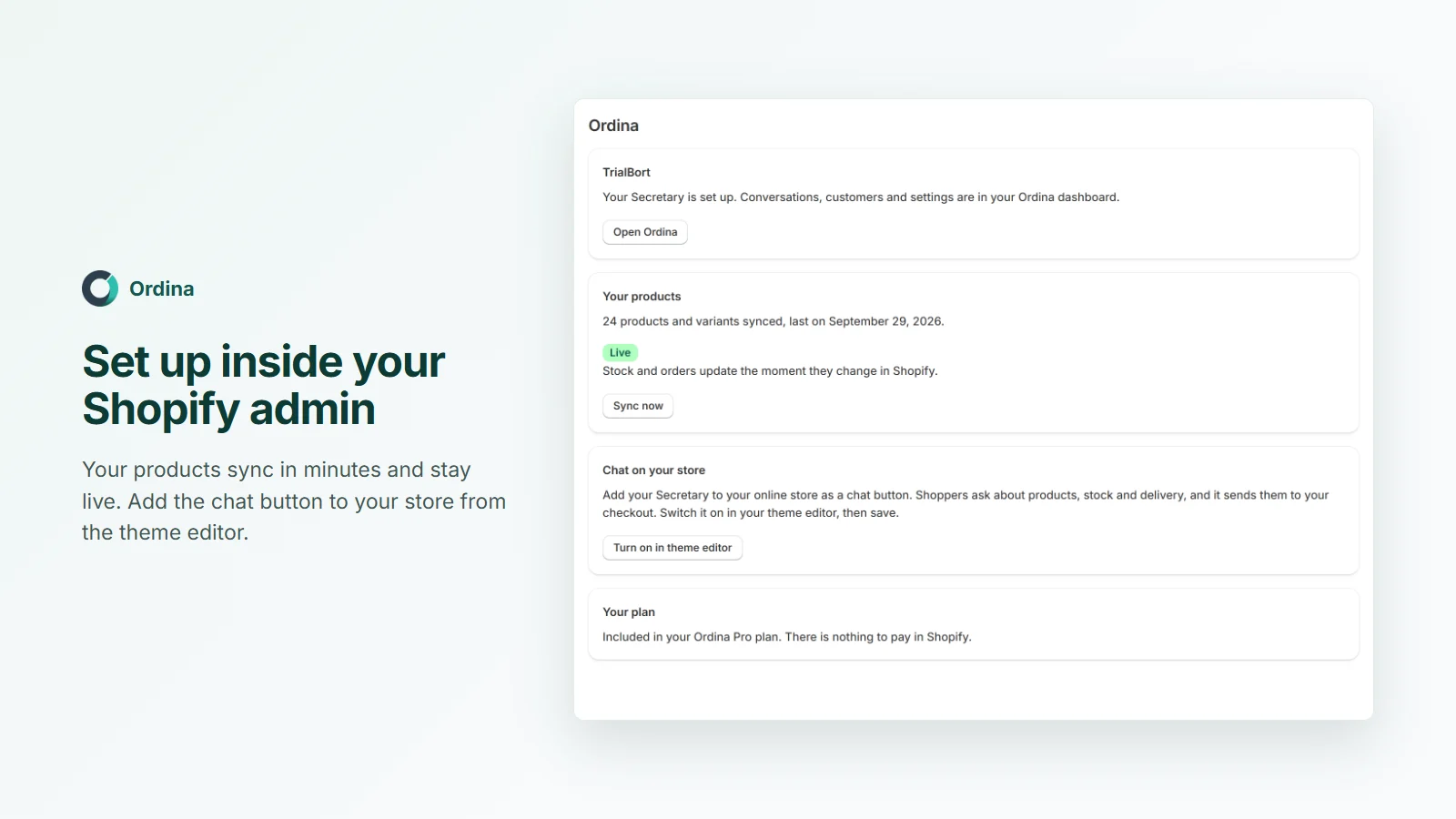
- Install OrdinaFrom the Shopify App Store.
- New or existing?Create an account, or sign in to link.
- Choose your planBilled by Shopify, with a free trial.
- Turn on the chatIn your theme editor, then save.
1. Install
Install Ordina: AI Sales Secretary from the Shopify App Store and approve it. Ordina opens inside your Shopify admin.
2. Create or link your account
- New to Ordina: create your account right there. Ordina sends a sign-in code to your email; enter it and your business is created from your shop's details.
- Already use Ordina? Choose Sign in to link, sign in to Ordina, and confirm. Your existing business, Secretary and settings are linked to the shop. One shop links to one business.
3. Your plan
- New accounts choose a plan in the app. It is billed through your Shopify bill, starts with a free trial, and activates once Shopify confirms it.
- If you already pay Ordina directly, there is nothing to pay in Shopify; the app shows "Included in your Ordina plan".
4. Your products and the chat on your store
Your products and variants sync in minutes and stay live: stock and orders update the moment they change in Shopify. Under Chat on your store, tap Turn on in theme editor, switch on Ordina Secretary chat under App embeds, and save. The chat button now appears on your store, with a greeting about your products.
Everything else
Conversations, customers and settings live in your Ordina dashboard (Open Ordina). Orders your Secretary creates appear in Shopify, marked as draft orders until paid.
Uninstalling
Removing the app disconnects the store and, if you were billed through Shopify, cancels that subscription. Your Ordina account stays; you can keep using it until the end of the period you paid for, or reinstall any time.